If you’re using a TNT SIM and running out of mobile data, you don’t always need to buy a new promo. You can simply share data with another TNT or Smart user using official methods.
This guide explains everything in a simple way—how to share data in TNT, USSD codes, app method, requirements, and troubleshooting.
What is TNT Data Sharing?
TNT data sharing allows users to transfer mobile data or promo allocations between TNT or Smart users. It is a convenient way to help friends or family stay connected when they run out of data.
TNT operates under Smart Communications, so most sharing features are connected with Smart systems.
Who Can Use TNT Data Sharing?
You can share data if:
- You are a TNT prepaid user
- You have an active promo with shareable data
- The receiver is a TNT or Smart user
- You have enough balance or promo allocation
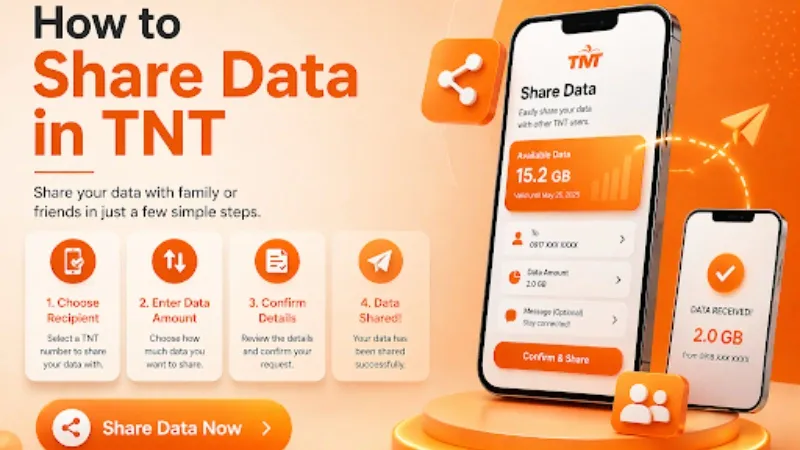
Method 1: Share Data Using GigaLife App (Recommended)
This is the easiest and most modern method.
Steps:
- Download and open the GigaLife App
- Log in using your TNT number
- Go to the “Offers” or “Share Data” section
- Select the data amount you want to share
- Enter the recipient’s mobile number
- Confirm the transaction
- Wait for the confirmation SMS
This method is fast, secure, and beginner-friendly.
Method 2: Share Data via USSD Code (*143#)
If you don’t have internet, use USSD:
Steps:
- Dial *143#
- Select Share-A-Load / Pasaload or Data Sharing option
- Choose Share Data / Pasadata
- Enter recipient number
- Select an amount or a promo
- Confirm transaction
You will receive a confirmation message once the process is successful.
Method 3: Share Data via Promo (Pasadata System)
Some TNT promos include Pasadata (data sharing feature).
You simply:
- Activate a promo that supports sharing
- Send part of your data to another user
- Receive SMS confirmation after successful transfer
Example promos include:
- Giga Video
- Giga Stories
- Giga Surf (selected variants)
Requirements for Sharing Data
Before sharing, make sure:
- You have an active TNT promo with data
- Your SIM is active
- Recipient number is valid
- Enough data balance is available
Benefits of Sharing Data in TNT
- Helps friends and family instantly
- No need to buy an extra load
- Works even without internet (USSD method)
- Fast and convenient
- Available anytime
Common Problems & Fixes
Data Sharing Not Working
✔ Check if your promo supports sharing
Invalid Number Error
✔ Make sure the number is correct (TNT/Smart only)
No Data Available
✔ Ensure your promo still has remaining data
USSD Not Working
✔ Restart phone or try again later
Important Tips
- Always check promo terms before sharing
- Double-check the recipient number
- Use the GigaLife app for fewer errors
- Keep a small data balance for confirmation
- Avoid expired promos
FAQs
Can I share TNT data with Smart users?
Yes, TNT and Smart users can share data with each other.
Is TNT data sharing free?
Usually yes, but it depends on the promo.
Can I share unlimited data?
No, only the promo allocation can be shared.
What is the best method to share data?
The GigaLife app is the easiest and most reliable method.
Conclusion
Sharing data in TNT is simple and convenient, especially with the *GigaLife app and 143# USSD menu. As long as your promo supports sharing, you can send data instantly without hassle.
Just follow the correct steps, check your promo details, and double-check the number before sending.